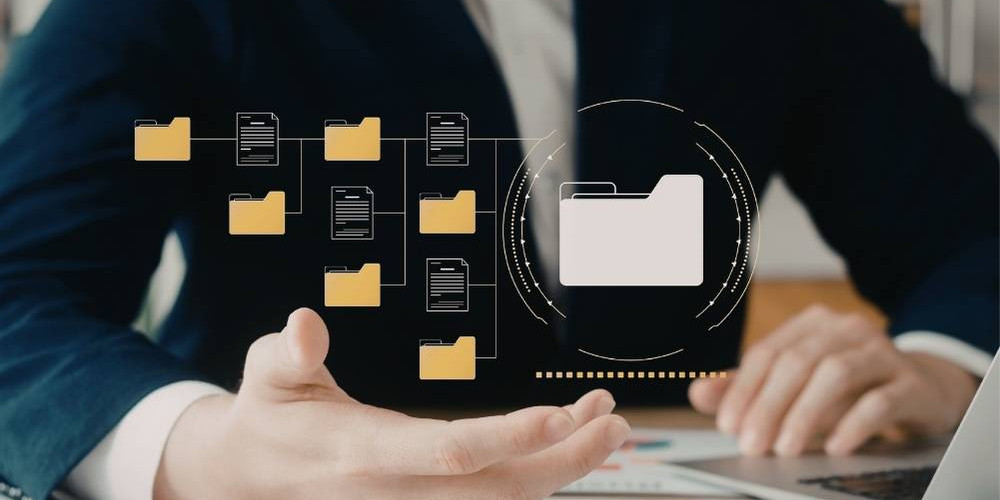

Managing digital files effectively is essential for maintaining productivity, reducing stress, and ensuring smooth workflows. Without a clear system, files can quickly become disorganised, duplicated, or difficult to locate. Implementing smart file management strategies helps keep your data clean, structured, and easy to access.
This guide explores the best file management tips to help you stay organised and efficient.
Why File Management Matters
Good file management ensures that your digital environment remains efficient and easy to navigate.
Key benefits include:
- Faster file retrieval
- Reduced duplication
- Improved workflow efficiency
- Better collaboration
- Lower risk of data loss
A structured system saves time and improves focus.
Create a Logical Folder Structure
A well-organised folder structure is the foundation of effective file management.
Best practices:
- Group files by category or project
- Use clear and simple folder names
- Limit unnecessary subfolders
- Keep the structure consistent
- Avoid overly complex hierarchies
A clear structure improves navigation.
Use Consistent Naming Conventions
File naming plays a major role in keeping data organised.
Tips for effective naming:
- Use descriptive file names
- Include dates when necessary
- Avoid vague labels like “final” or “new”
- Keep naming consistent across files
- Use separators like hyphens or underscores
Consistent naming improves searchability.
Implement Version Control
Managing file versions prevents confusion and errors.
Simple version control methods:
- Add version numbers (v1, v2, v3)
- Include dates in file names
- Archive older versions
- Keep only the latest version in active folders
Version control ensures clarity.
Declutter Regularly
Over time, unnecessary files can accumulate and create clutter.
Decluttering tips:
- Delete duplicate files
- Remove outdated documents
- Clear unused downloads
- Review files periodically
- Keep only essential data
Regular clean-up keeps systems efficient.
Use Cloud Storage for Better Organisation
Cloud storage can improve file accessibility and organisation.
Benefits include:
- Access files from multiple devices
- Easy sharing and collaboration
- Automatic backups
- Reduced local storage clutter
- Centralised file management
Cloud tools support flexible workflows.

Organise Files by Workflow
Structuring files based on workflow can improve productivity.
Example workflow structure:
- To Review
- In Progress
- Completed
- Archived
This system helps track progress and priorities.
Keep Your Desktop Clean
Your desktop should not be used for long-term storage.
Best practices:
- Store files in folders immediately
- Keep only essential shortcuts
- Avoid clutter buildup
- Maintain a minimal layout
A clean desktop improves focus.
Use Search-Friendly Keywords
Including keywords in file names makes searching faster and easier.
Tips:
- Use project or topic names
- Include relevant descriptors
- Avoid unclear abbreviations
- Keep naming consistent
Search-friendly files save time.
Maintain Consistency Across Devices
If you use multiple devices, consistency is essential.
Best practices:
- Use the same folder structure
- Apply consistent naming conventions
- Sync files regularly
- Keep systems aligned
Consistency improves efficiency.
Common File Management Mistakes to Avoid
Avoid these common issues:
- Overcomplicated folder systems
- Inconsistent naming
- Keeping unnecessary files
- Ignoring version control
- Lack of regular maintenance
Fixing these improves usability.
Tips for Long-Term File Organisation
To maintain a clean and structured system:
- Create a routine for file management
- Review files regularly
- Keep structures simple
- Stay consistent
- Avoid unnecessary duplication
Good habits ensure long-term success.
Final Thoughts
Effective file management is essential for keeping your data clean, structured, and easy to access. By implementing clear folder systems, consistent naming conventions, and regular maintenance, you can create a digital environment that supports productivity and efficiency.
A well-organised file system not only saves time but also reduces stress and helps you stay focused on what matters most.